Gone are the days when a physical key was your only way through the front door. Welcome to the era of the smart lock—a cornerstone of the modern, connected home. As we embrace smart thermostats, lights, and voice assistants, it’s no surprise that smart locks are surging in popularity. But are they a secure and worthwhile upgrade for your home?
This guide cuts through the hype to give you a clear, comprehensive look at how smart locks work, their undeniable benefits, and what you need to know before making the switch.
How Do Smart Locks Actually Work?
At their simplest, smart locks are electronic locks that replace or augment your traditional deadbolt. They grant access through digital means instead of (or in addition to) a physical key. Here’s the tech behind the magic:
- Wireless Connectivity: They connect via Bluetooth (for close-range control), Wi-Fi (for true remote access from anywhere), or Z-Wave/Zigbee (which require a smart home hub but offer robust integration).
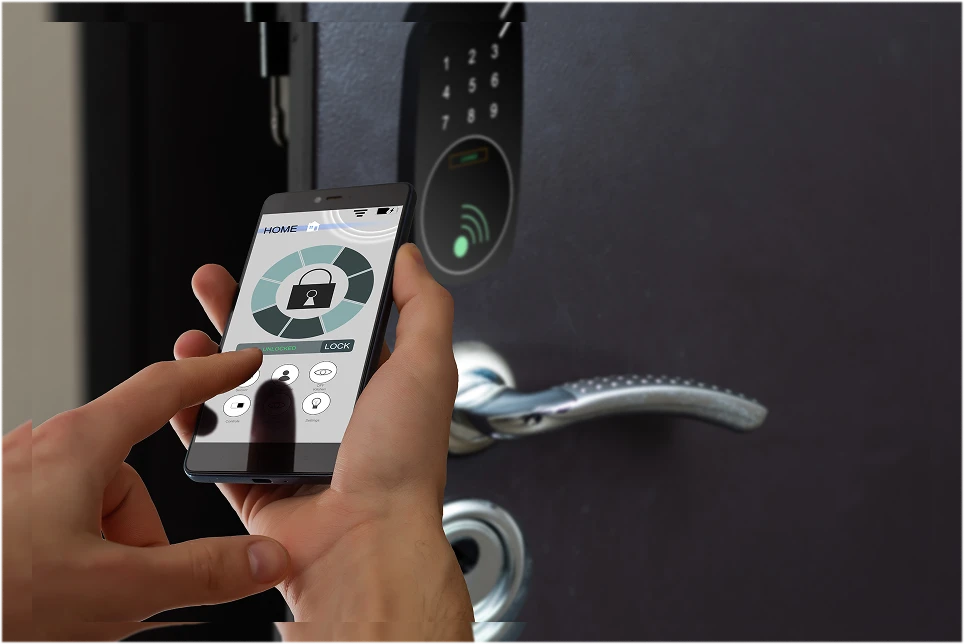
- Access Methods: You can unlock them using a smartphone app, a unique keypad code, a fingerprint scan, or even a voice command.
- The Locking Mechanism: A small motor inside the device physically turns the deadbolt when it receives an authorized electronic command.
The Top 3 Benefits of Upgrading to a Smart Lock
- Ultimate Convenience (Goodbye, Key Hunt!)
- Keyless Entry: Never fumble for keys with an armful of groceries again. Enter with a code, a tap, or your fingerprint.
- Auto-Lock: Set your lock to automatically secure itself after 30 seconds, ensuring you never accidentally leave the door unlocked.
- Temporary Access: Grant unique, scheduled codes for housekeepers, dog walkers, or guests. No more hiding keys under the mat!
- Remote Access & Control
- Lock from Anywhere: Got on the train and forgot to lock up? Open your app and secure your door instantly.
- Real-Time Alerts: Receive instant notifications on your phone when the door is locked, unlocked, or if someone attempts tampering.
- Virtual Keys: “Send” a digital key to a guest’s phone for a specific time window, then revoke it when they leave.
- Enhanced Security Features
- Activity Logs: See a complete history of every entry and exit, including which code was used.
- Tamper Resistance: Many models have built-in alarms that trigger if someone tries to force the lock.
- No More Lost Keys: If a code is compromised, you can delete it instantly instead of rekeying the entire lock.
Smart Home Integration: The True Game-Changer
A smart lock’s power is magnified when it works with your other devices. Imagine:
- “I’m home!” Scene: Your door unlocks, the hallway lights turn on, and the thermostat adjusts to your preferred temperature.
- Security Automation: If the door unlocks while your security system is armed, an indoor camera can start recording.
- Voice Control: “Hey Google, lock the front door.” (Note: Most systems require a voice PIN for security).
Smart Lock Types: Which is Right for You?
| Type | How It Works | Best For |
|---|---|---|
| Keypad Locks | Entry via numeric code. | Simplicity, families with kids, no smartphone required. |
| Wi-Fi Locks | Connect directly to home Wi-Fi for full remote control. | Those who want remote access without an extra hub. |
| Bluetooth Locks | Connect directly to your phone when you’re nearby. | Personal use; remote access requires a separate bridge. |
| Z-Wave/Zigbee | Connects via a smart home hub (e.g., SmartThings, Hubitat). | Existing smart home enthusiasts seeking robust automation. |
| Biometric Locks | Uses fingerprint recognition. | Maximum security and convenience without codes or keys. |
Smart Lock vs. Traditional Lock: A Quick Comparison
| Feature | Traditional Lock | Smart Lock |
|---|---|---|
| Access | Physical Key Only | Codes, App, Fingerprint, Voice |
| Convenience | Risk of lockouts, key management | Keyless, remote control, auto-lock |
| Security | Vulnerable to picking/bumping | Tamper alerts, activity logs, encryption |
| Access Sharing | Copying physical keys | Temporary, revocable digital codes |
| Cost | Lower upfront cost | Higher upfront cost, more features |
Are There Any Downsides?
Yes, it’s important to be aware of a few considerations:
- Power Dependency: They run on batteries (usually lasting 6-12 months). Most will warn you well in advance of a low battery, and almost all have a physical key backup or a port for an external battery pack.
- Initial Cost: A quality smart lock is a more significant investment than a standard deadbolt.
- Potential Hacking: While rare, any connected device has a theoretical vulnerability. Choosing a reputable brand with strong encryption is critical.
Who Are Smart Locks Perfect For?
- Homeowners seeking convenience and modern security.
- Rental & Airbnb Hosts who need to manage access between guests seamlessly.
- Families with kids who often forget or lose their keys.
- Caregivers of elderly or disabled individuals who need remote access.
- Small Business Owners managing employee access to offices.
Your 5-Step Checklist Before You Buy
- Check Compatibility: Does it fit your door? Is it compatible with your smartphone OS (iOS/Android) and smart home ecosystem (Alexa, Google, Apple)?
- Choose Your Connectivity: Decide if you need Wi-Fi for standalone remote access or if you’re okay with a hub for deeper automation.
- Prioritize Security Features: Look for encryption (like AES-128), tamper alarms, and physical key backup.
- Read the Reviews: Look for feedback on reliability, battery life, and customer support.
- Consider Installation: Most are DIY-friendly, but check if your door requires a specific door prep.
Conclusion: A Smart Investment for a Safer, Smarter Home
A smart lock is more than a trendy gadget—it’s a significant upgrade to your home’s security and convenience. The ability to grant access remotely, monitor your door in real-time, and never worry about a lost key again offers profound peace of mind.
While the initial cost is higher, the long-term value in security, control, and seamless integration into your smart home makes a compelling case for making the switch.